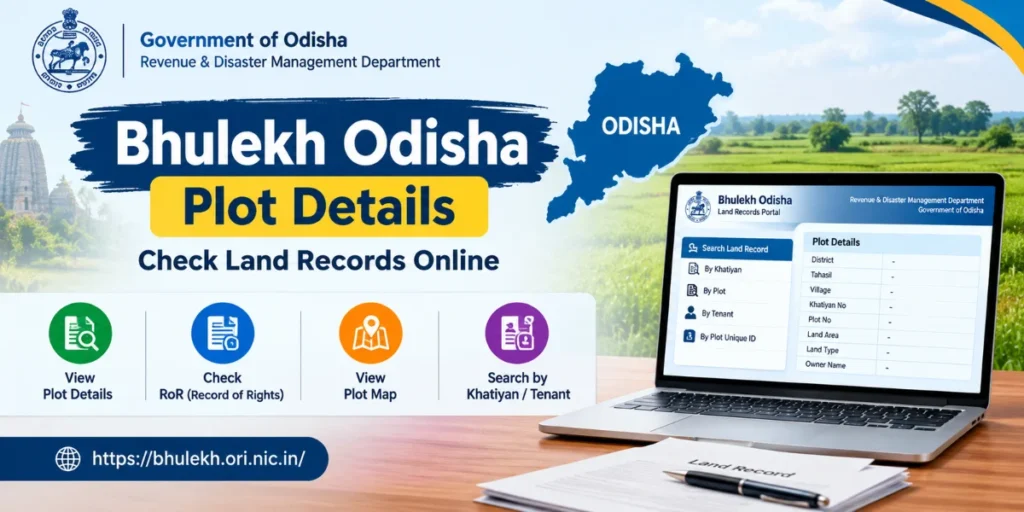
Bhulekh Odisha Plot Details help residents access land-related information through the official Odisha Bhulekh land records portal. People can use this online service to check plot numbers, Khatiyan details, tenant information, and the Record of Rights (RoR) without initially visiting a government office. The portal is managed by Odisha’s Revenue and Disaster Management Department and is available at bhulekh.ori.nic.in.
Whether you want to verify agricultural land information, review a plot record, or understand your family’s property documents, the Bhulekh Odisha portal provides a convenient starting point. This guide explains how to check Odisha plot details online, understand land records, access plot maps, and resolve common search problems.
What Is Bhulekh Odisha Plot Details?
Bhulekh Odisha is an online land records portal that allows users to access the Record of Rights (RoR) associated with land parcels in Odisha. The term Bhulekh Odisha Plot Details generally refers to information about an individual land parcel, including its plot number, recorded area, land classification, and related ownership records.
The portal provides different search options, including Khatiyan number, plot number, and tenant details. Users can also access a separate facility for searching plot information through a Plot Unique ID.
These records are useful for reviewing land information, checking existing entries, and preparing for further verification before a property transaction. However, online records should not be treated as a substitute for a complete legal title investigation.
How to Check Bhulekh Odisha Plot Details Online
Follow these steps to find your land information through the official portal:
- Visit the official website: Open https://bhulekh.ori.nic.in/ in your browser.
- Open the RoR section: Locate the option for viewing the Record of Rights.
- Select your district: Choose the district where the property is situated.
- Choose the Tahasil: Select the relevant Tahasil from the available options.
- Select the village: Choose the village associated with your land parcel.
- Select the search method: Choose Khatiyan, Plot, or Tenant, depending on the information you have.
- Enter or select the relevant details: Provide the required plot number, Khatiyan number, or tenant information.
- View the record: Submit the details to display the available Record of Rights.
Review the displayed information carefully and compare it with your existing land documents. The available fields and selection process may vary depending on the record and portal interface.
How to Search Odisha Land Records by Plot Number
Searching by plot number is a useful option when you already know the number assigned to your land parcel.
First, visit the official Bhulekh Odisha website and select the correct district, Tahasil, and village. Choose the Plot search option and select the relevant plot number from the available list.
After opening the RoR, review the plot-related information on the back page. According to the portal’s official FAQ, the RoR back page contains plot details, while the front page contains tenant information and rent-related details.
Make sure the selected plot belongs to the correct village. A plot number alone may not uniquely identify a property across different villages or administrative areas.
How to Check Bhulekh Odisha RoR and Khatiyan Details
The Record of Rights, commonly known as RoR, is an important land record containing information about a recorded landholding. A Khatiyan identifies a holding, which may include multiple plots.
To check Khatiyan details, open the RoR section and select the appropriate district, Tahasil, and village. Choose the Khatiyan search option and select the relevant number.
The displayed record can help you review the recorded tenant details and associated land information. If you are checking a particular plot within a larger holding, examine the plot entries carefully rather than relying only on the first page.
The information available in a particular record depends on the entries maintained in the land records system.
What Information Is Available in Odisha Plot Details?
When you access Bhulekh Odisha plot details, you can review several types of land-related information, depending on the record displayed.
- Plot Number: The identifying number assigned to a land parcel within the relevant village.
- Khatiyan Number: The reference associated with the landholding’s Record of Rights.
- Tenant Details: The name and other recorded particulars of the tenant or holder.
- Land Area: The recorded area of the plot, which may be displayed in units such as acres, decimals, or hectares.
- Land Classification: The recorded category or nature of the land.
- Boundary Information: Available descriptions of the plot’s boundaries.
- Rent and Cess: Relevant land revenue and cess details shown in the record.
- Remarks: Additional notes or entries associated with the land parcel, where available.
Always check the original record to confirm which fields apply to your particular property.
How to View Odisha Plot Map Online
In addition to textual land records, the Bhulekh Odisha portal provides access to a Map View facility. This feature helps users examine available plot-map information for a selected location.
To access it, visit the official portal and open the Map View option. Select the required district, Tahasil, village, and RI Circle, then choose the plot number if requested.
The map can help you understand the location and layout of a recorded land parcel. However, an online map should not be treated as a professional land survey or a definitive boundary demarcation. If the physical boundaries differ from the available map, contact the relevant revenue authorities for verification.
How to Search Plot Details Using a Plot Unique ID
The official Bhulekh Odisha website also provides a dedicated facility called Search Your Plot by Plot Unique ID.
Users who already possess a valid Plot Unique ID can enter it on the relevant page to retrieve the associated plot information. If the ID is unknown, the portal provides a Know Your Plot Unique ID facility that uses location and land-record information, including district, Tahasil, village, Khatiyan, and plot details.
Follow the instructions on the official page and verify the resulting details against the relevant land documents. Do not assume that a Plot Unique ID is interchangeable with other land identification numbers unless the concerned authority confirms it.
Benefits of Using the Bhulekh Odisha Portal
The online Odisha land records service offers several practical benefits:
- Convenient access: Users can check available land records online.
- Multiple search methods: Records can be located using Khatiyan, plot number, or tenant details.
- Improved transparency: Online access helps people review recorded property information.
- Map access: The Map View facility provides another way to examine available land information.
- Better document preparation: Reviewing records beforehand can help users identify discrepancies that require clarification.
- Odia language support: The portal provides an Odia language option for users who prefer the local language.
These facilities can make preliminary land-record verification more convenient, although some official procedures may still require an application or a visit to the relevant office.
Important Things to Check Before Buying Land in Odisha
Before purchasing a property, do not rely solely on an online plot search. Compare the Bhulekh Odisha land records with the sale deed, previous ownership documents, and other relevant records.
Verify the recorded area, plot number, village, land classification, and available boundary information. Ask the appropriate authorities about pending disputes, encumbrances, restrictions on land use, and any discrepancies in the recorded ownership details.
You should also confirm whether mutation records have been updated following previous transactions. A displayed RoR is an important reference, but it does not independently establish that a property has an undisputed title.
For registration, court proceedings, loans, or other formal purposes, contact the concerned Tahasil office to confirm the requirements for obtaining an officially certified copy of the RoR.
Common Problems While Checking Bhulekh Odisha Plot Details
Users may sometimes encounter missing records, incorrect selections, slow loading, or difficulty locating a plot.
If your land details do not appear, check whether the district, Tahasil, and village are correct. Confirm the plot or Khatiyan number using your existing documents and try another available search method if appropriate.
If the displayed details appear incorrect or outdated, do not assume that the online entry can be changed directly by the user. Contact the relevant Tahasil office and ask about the applicable correction or mutation procedure.
For portal-related assistance, use the official website’s Contact Us section to identify the appropriate office.
Conclusion
Bhulekh Odisha Plot Details provide a convenient way to access available land records online. Through the official portal, users can search by plot number, Khatiyan number, or tenant information, review RoR entries, and explore the Map View facility.
For accurate results, always select the correct location and compare the online information with your original property documents. If you find a discrepancy or need records for a legal transaction, seek verification from the relevant revenue authorities. Using the official Bhulekh Odisha website is the best starting point for checking recorded land information in the state.